Ultimate English lessons preparation
eLang is a flexible platform to support English teachers. Create vocabulary and video lessons in minutes, not in hours.
Get started 🚀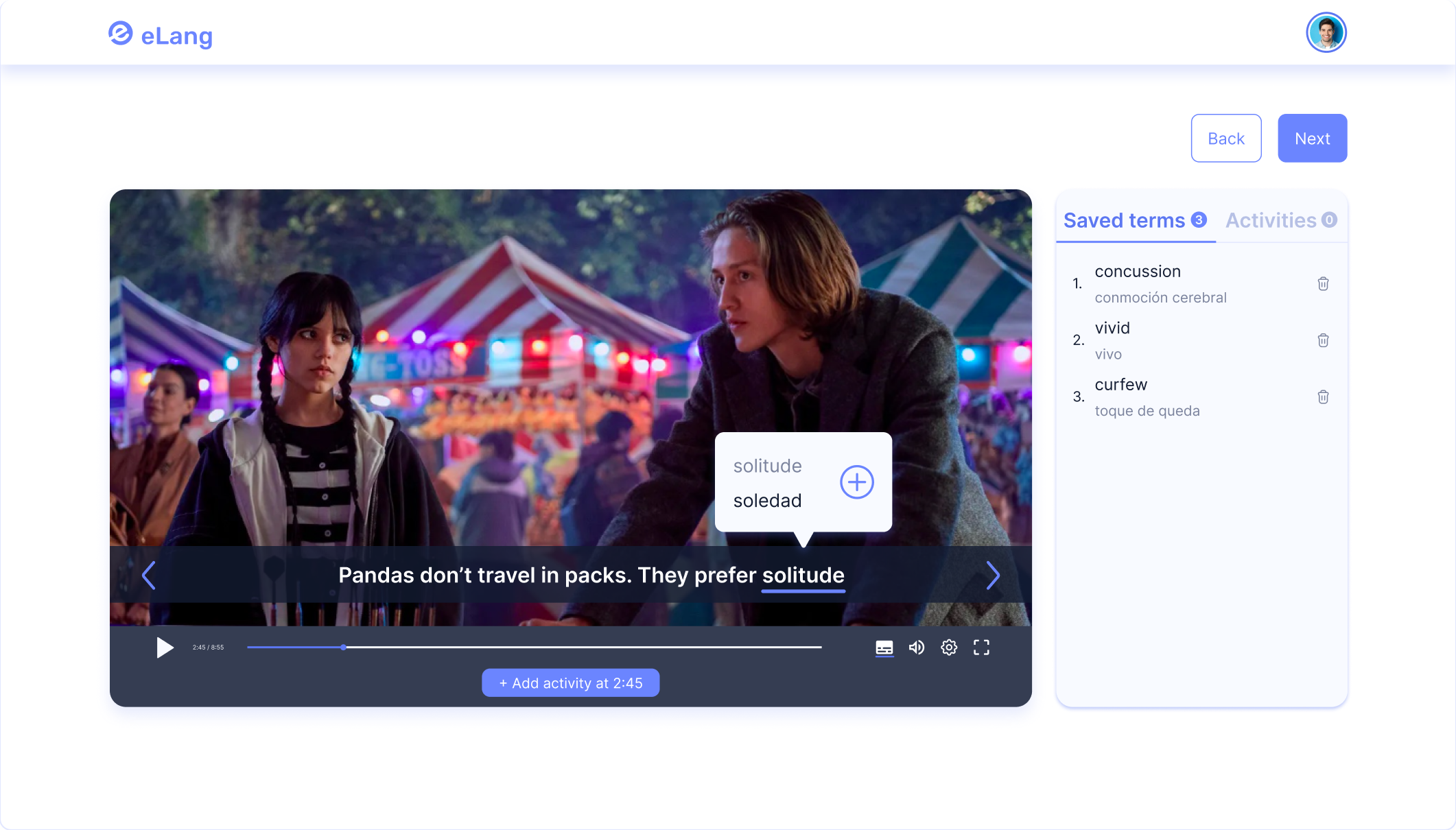
How eLang helps ESL teachers


Ready-made lessons
You can find the best ready-made lessons in the Library
Activities in videos
Open-ended, multiple choice and true-or-false questions right inside the video
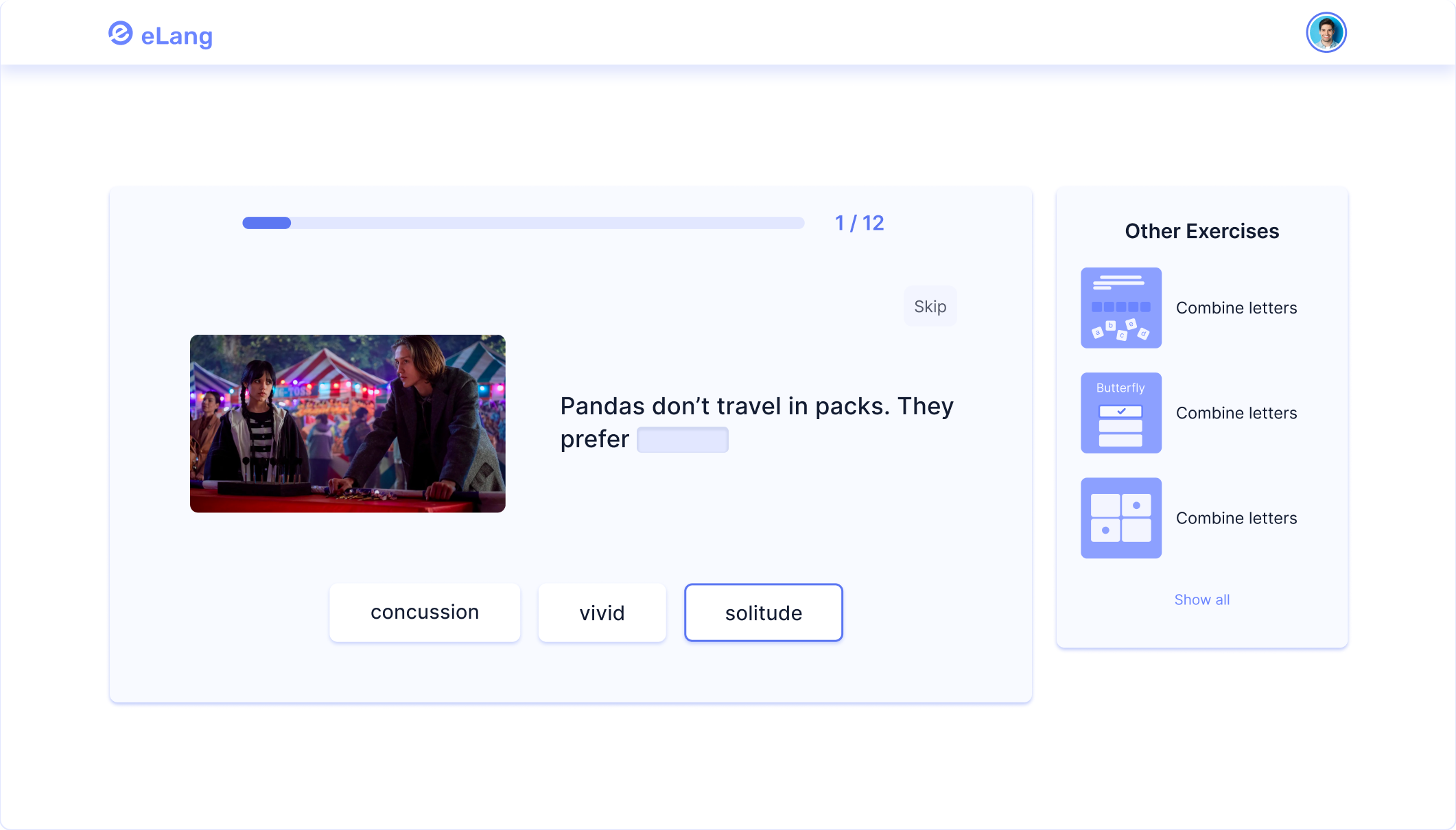
Auto-generated exercises
Create lessons in 3 quick easy steps with auto-generated exercisesTrack students' progress
Create classes to assess how well students have consolidated what they have learned


Track
See which students began or completed their study sessionsConclude
Learn how students are studying and what material needs reviewConvenient and free lesson management
Save your time and money with dozens of prebuilt templates. Access public library of exercises
Use a video to
create a lesson
Select and save terms from
subtitles while watching a video.
Сreate your own
word sets
Type words and their translations
when preparing a lesson.
Share lessons
with others
Сopy the link after you create
a lesson to send to others.
Сreate your own
word sets
Type words and their translations
when preparing a lesson.
Share lessons
with others
Сopy the link after you create
a lesson to send to others.
Adjust learning English
to the interests of students
Library of lessons with videos and games
Language learning requires constant practice. That is why we provide a whole library of topics and exercises to train.
Go to Library

Frequently asked questions
01
Is eLang free?
eLang is completely free for students. As a teacher you can use all the basic functionality for free.
02
Does a student need to sign up to complete an exercise?
No, a student can complete an exercise without registration. However, if a student signs up in eLang, all received lessons will be saved in “My lessons” tab.
03
How can I create a lesson?
You can create a lesson by clicking “Create a lesson” in the top and then choosing a preferable way: based on a video or your own words.
04
How to share a created lesson?
You can do it in 2 ways. Firstly, when you have just created a lesson, copy the link and send it to a student. Secondly, you can go to “My lessons” tab, click on Settings, copy the link, and send it to a student.
How it works
Watch a 3-minute demo
Loved by people

Levente
English Teacher
eLang is definitely a good platform for lesson preparation. I needed such an app with different exercises for students. Thanks to eLang team!

Bella
English Teacher
One of my students came across this platform and offered me to try, because I am fond of videos with subtitles. So far, this is the only service where I can create exercises with videos - I like it a lot!

Anastasia
English Learner
Finally I found a service that offers a LOT of videos with interactive subtitles and word games to train. Especially, I like how it works on mobile.

Ishaan
English Learner
It is 1 year as I study English. And I found eLang. It has so many games to play and videos to watch. I like it very much! It helps me remember new words very good.

Sarah
Community Tutor
eLang is great for hometasks and remote students. I'm really waiting for a table with students' progress :)

Dean
ESL Teacher
I would call eLang a versatile assistant in English teaching. I personally adopted it for hometasks and ice-breakers. The platform serves me really well and I am looking forward to testing some features I recommended to the support team.
Start free 14-days trial
Free
free forever
Create up to 6 lessons
Up to 3 students per class
Publication of lessons in the public access
Get started
Premium 🔥
paid yearly $35.99
Unlimited number of lessons
Unlimited number of students in the class
Tracking students progress
Protecting lessons from public access
Customizing lessons and classes
Start 14-day free trial
Interested in improving your workflow?
Create your lessons with eLang for free. Explore thousands of videos and lesson and share.
Get started 🚀
